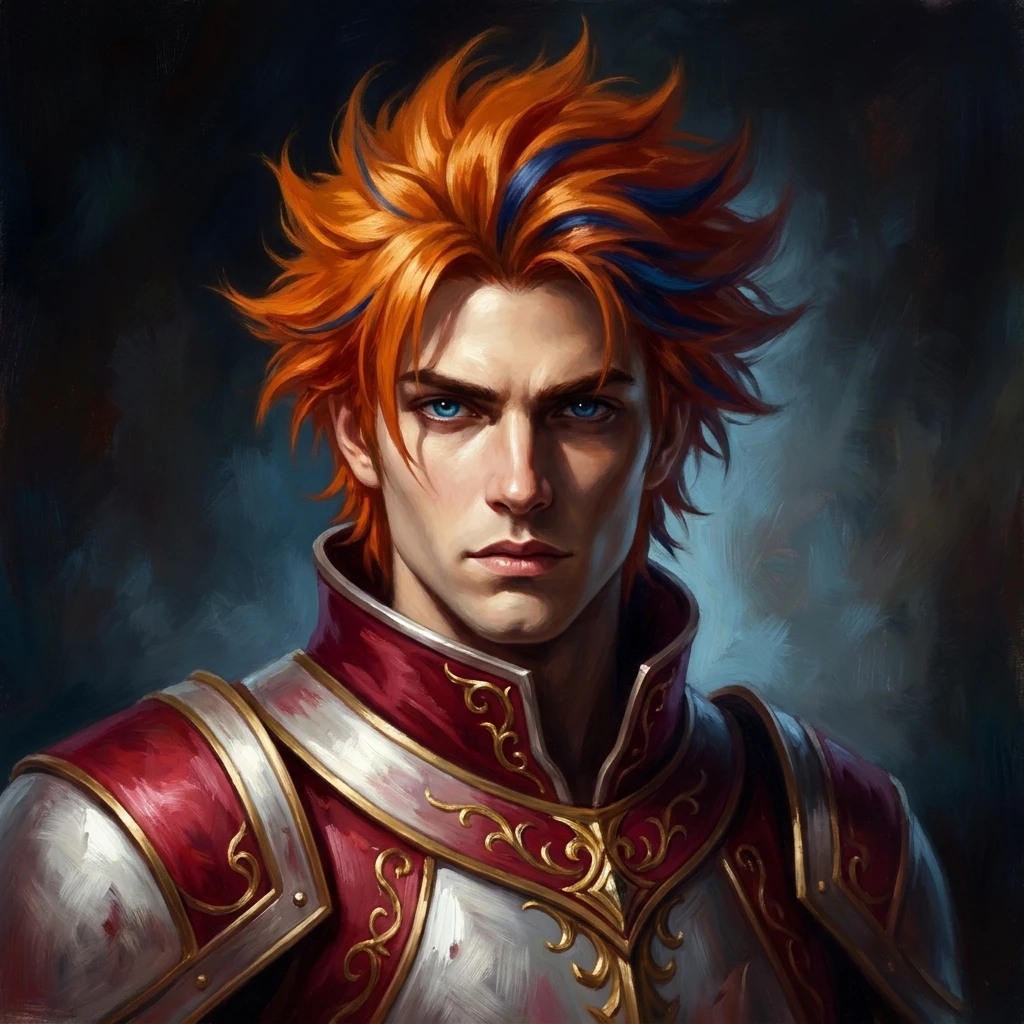

AI character via MorphMe Live · Powered by Decart Lucy 2
Become the character. Live in OBS.
Real-time AI fullbody character swap for streamers
Transform into any fictional character, face and body, live while you stream on Twitch, YouTube, or Kick. Real-time fullbody AI character swap, built for OBS Studio and powered by Decart Lucy 2.
No install to try · Free app for Windows 10+ · v1.5.5
Join Discord
One webcam · any character · captured live in v1.5.5
- v1.5.5 shipped today
- 25+ releases 2026
- Decart Lucy 2 AI backbone
- Fullbody face + body
- No GPU cloud-rendered
- $15+ credit packs
Try it right here
See yourself.
Then become anyone.
No install, no app. Turn on your camera right here, then open the studio to transform live, on the machine you're holding now. The same real-time HD engine as the desktop app.
- Works on your phone. Front or back camera, one tap to fullscreen.
- Type any look. "Cyberpunk android, neon hair," or bring your own reference image.
- Pay only while live. The preview is free; credits count down only during the swap.
Free to try · no sign-up to look around · credits only while you're live.
Everything you need to stream as a character.
Streamer-grade fullbody character swap. No GPU on your machine. No driver. No setup ritual. Just a URL OBS already knows how to consume.
-
Real-time fullbody swap
Face and body transformation in real-time. Decart Lucy 2 processes your webcam feed in the cloud, frame by frame, with low latency.
-
Drop into OBS
Built-in MJPEG stream server at 127.0.0.1:4789. Drag the URL into OBS as a Browser Source. No virtual camera driver, no permissions prompts.
-
Character presets
Two curated starters out of the box, Crimson Knight and Vampire Lord, plus a growing character collection. Bring your own reference image and prompt for everything else.
-
Ultra-low latency
Cloud processing tuned for live use. Popout overlay and OBS-capturable preview window keep your stream smooth even on a laptop.
The desktop app · OBS in four steps
How it works.
No GPU on your machine. No virtual camera driver. All AI lives in Decart’s cloud, you drop a URL into OBS, and you’re streaming as a character.
- 01 /04
Download & install
Grab MorphMe Live for Windows. Free, around 80MB, installs in under a minute. Auto-updates so you never fall behind.
- 02 /04
Pick a character
Start with a curated starter like Crimson Knight or Vampire Lord, browse the character collection, or upload your own reference image. Add a prompt to fine-tune the look.
- 03 /04
Drop into OBS
MorphMe Live spins up a local MJPEG stream at 127.0.0.1:4789. Drag the URL into OBS as a Browser Source. 30 seconds, no driver install.
- 04 /04
Go live
Stream to Twitch, YouTube, Kick, or anywhere OBS streams. Switch characters mid-stream without reconnecting. AI processing runs in Decart's cloud. No gaming GPU on your side.
That’s the whole setup · under five minutes, end to end
Anywhere OBS streams, MorphMe streams.
MorphMe Live publishes a local MJPEG stream. Every major broadcasting tool and live platform reads it as a Browser Source. Add it once, go live anywhere.
Broadcast tools
- OBS StudioBrowser / Media Source
- StreamlabsBrowser Source
- XSplitBrowser Source
Destination platforms
- Twitch via OBS
- YouTube Live via OBS
- Kick via OBS
- Discord Stream / Go Live
- Zoom Any virtual camera
Inside the app · Settings → Stream Kit
AI disclosure as a creator tool, not a compliance popup.
Streamers paste panel HTML, title lines, and YouTube descriptions every session anyway. We ship them polished templates, with the AI-disclosure language baked into every variant. Disclosure becomes a productivity win.
Stream Kit Ready-to-paste templates
Style
<strong>AI character via MorphMe Live.</strong><br/>Real-time face & body transformation powered by Decart Lucy 2.
Streaming as an AI-generated character with MorphMe Live (powered by Decart Lucy 2). https://morphmelive.com
Decart and most streaming platforms ask streamers to note AI use. These templates handle that for you. About disclosure →
Live capture from the in-app Settings → Stream → Stream Kit
Built for streamers who’d rather cosplay in software.
- For
Twitch streamers
Stand out on Just Chatting, IRL, or gaming with a character no other streamer is using.
- For
VTubers
A lightweight alternative to Live2D rigging. No face-tracking calibration. Drop in any reference, go live.
- For
YouTube creators
Reaction videos, shorts, podcasts: perform as a character without costumes or post-production.
- For
Privacy-first streamers
Stream face-cam content without ever showing your real face. The whole camera feed is replaced, head to toe.
Built for trust
Premium tooling.
Real safeguards.
Streaming as a character is fun. Impersonating a real person, hiding that AI is involved, or abusing someone’s likeness is hard by design.
Not via warning banners. Via the product itself.
- 01
Consent-gated uploads
Every reference image starts with an in-app attestation: fictional character, or verifiable consent from the real person depicted. No silent uploads of anyone’s likeness.
In-app · Workshop → Upload - 02
AI disclosure built-in
Our Stream Kit ships templates for Twitch titles, Kick panels, and YouTube descriptions, with the AI-disclosure language baked into every variant. One-click disclosure, not a manual job.
In-app · Settings → Stream - 03
Real abuse-reporting flow
A structured form routes every report to our team with the platform URL, type, and timestamps, then we act on valid reports under our published Acceptable Use Policy.
- 04
Pay-per-second pricing
Credits deduct only while AI streaming is active. Bulk content farming is structurally uneconomic, pricing itself is a brake on volume abuse. No flat-fee unlimited tier to exploit.
Live build · v1.5.5
Ready to transform your stream?
Get the Windows app for OBS, or try it right now in your browser. Sign in and go live as any character, in minutes.
Windows 10+ ~80 MB Released 2026-07-25 Free download